




Price: SAR135.77 - SAR121.60
(as of May 05, 2026 04:32:28 UTC – Details)
★★★How to use?★★★
1️⃣Make sure that there is no problem with your hard drive disk.
If you are using a new SSD drive or an HDD, you need to initialize it first and then format it. You can search for “how to initialize an external hard drive” for directions on this. Instructions vary a bit between Windows 10, 7, and Vista.
2️⃣ – Assemble the device, plug the hard drive, then connect to the computer. If the indicator light on the device is on, it means that there is no problem with the device.
3️⃣ – Check if the computer is reading the data on the hard drive. If not, but the hard drive is working (you could place the hard drive on your hand to feel if it is active), please do not stop it. The hard drive would automatically stop working after about 3-5 minutes. After that, please wait for more than 3 minutes, then unplug the device.
4️⃣ – Assemble the device again and connect the hard drive and computer. It will work. Please note that if it still could not work, please turn off the computer and restart it.
★★★What you will get★★★
1 * SATA/IDE to USB 3.0 Adapter Hard Drive Adapter
1 * USB 3.0 male to male cable 3ft
1 * 12V 2A Power Adapter
1 * USB C to USB Adapter
1 * 4 PIN Power Cable
★★★Note★★★
1) If you are using a new SSD drive or an HDD, you need to initialize it first and then format it. You can search for “how to initialize an external tier hard drive” for directions on this. Instructions vary between tween Windows 11/10/7
2) If it is an old hard disk or disassembled hard disk, first confirm whether the hard disk is good.
3) If it is an Apple OS mac system, set up the hard disk format
4) wrong hard drive type – this cable will not work with 3.5″ SSD/HDD
5) bad USB port on the computer;
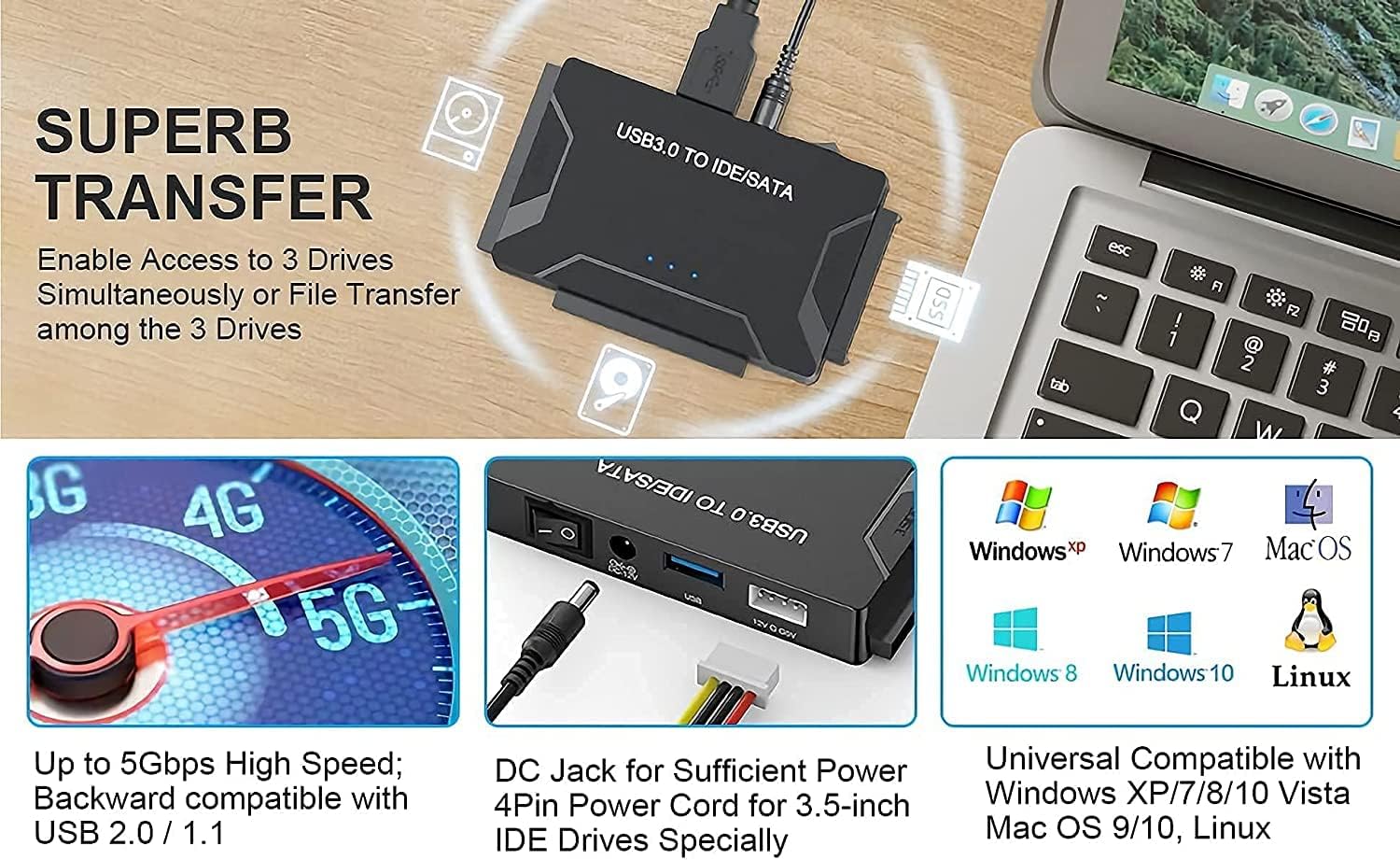
✅ -【Easy Way to Access Old Hard Drives】- It’s good for reading hard drives from old desktops and laptops. You simply plug in the power and data port and up pops file explorer to access. The adapter support 2.5 “/3.5” SATA HDD and SSD; 2.5 “/3.5” IDE HDD; DVD-ROM, CD-ROM, CD-RW, DVD-RW, DVD + RW Optical Drive.
✅ -【Transfer Rate up to 5Gbps】- Hard drive to USB adapter supports super speed USB 3.0 enables data transfer rates of up to 5Gbps, backward compatible with USB 2.0(high-speed 480 Mbps) / USB 1.1(full-speed 12 Mbps) standards. (The actual transmission speed subjects to the setting of the device connected ).
✅ -【Supports HDD Capacity Up to 6TB 】- SATA IDE USB adapter supports a hard drive capacity of Up to 6TB capacity. it has 3 different ports for 2 different IDE pin configurations (40pin and 44pin) and 1 SATA; Tips: For some old hard drive, you need to set the jumper to turn on the disk.(set the master disk and the slave disk)
✅ -【Comes with USB c to USB Adapter】- Whether you are using a MacBook Pro/MacBook Air/Chromebook/other laptops with a USB Type-C port, this USB-c to USB adapter can be plugged into a USB C port at the same time, finish perfectly matches your laptop.
✅ -【Wide Compatibility, Plug-and-play】- This USB to IDE and SATA Converter is plug and plays when using Windows 7,10,11 Mac OS 9/ 10/11, Linux; plug and Play without Rebooting. work well with all hard drives.Backward compatible with USB 2.0 / 1.1. limit depend on the IDE device/SATA device and the driver.




Reviews
There are no reviews yet.